
How do I change the dashboard date range?
Published on: 03/11/2026
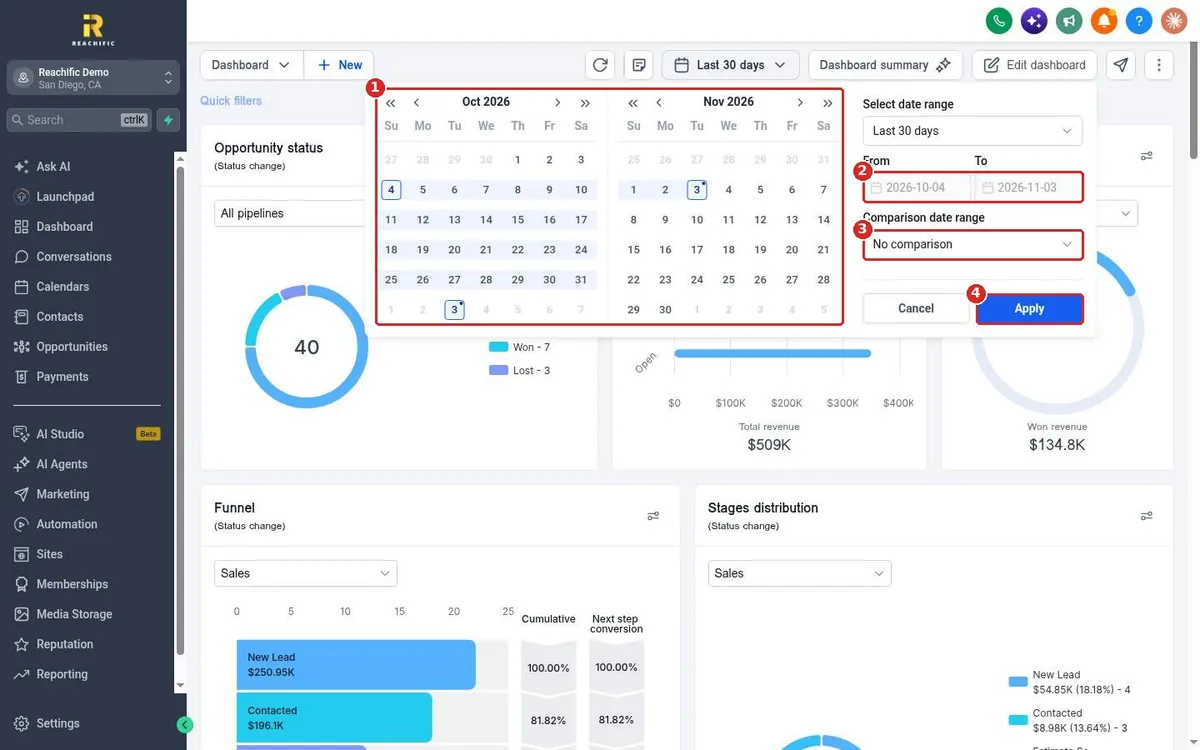
Change your Reachific dashboard date range: click the date button at the top of the dashboard, pick a preset like Last 30 days or This week, or choose your own From and To dates, add a comparison range if you want, then click Apply.
date rangelast 30 daysfilterhelp center